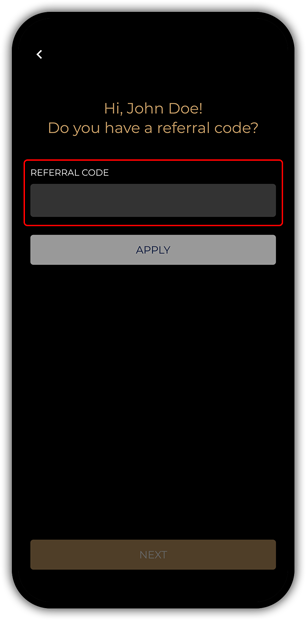
*IMPORTANT: Each advisor will have a unique Referral Code; this code enables us to track, link and pay the respective commission to the advisor that enabled the sale;
please ensure you provide your code correctly to your customer.
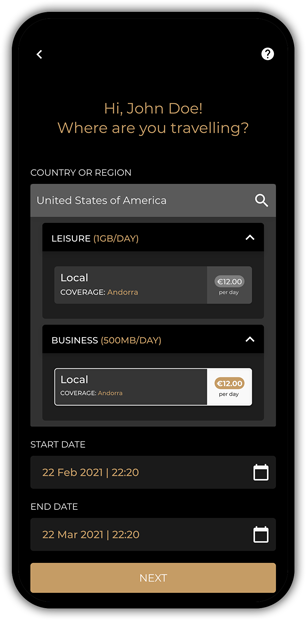
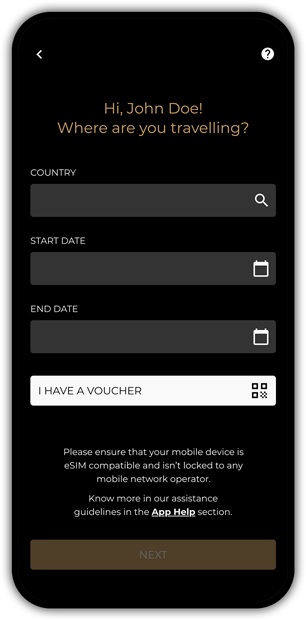
Product Selection
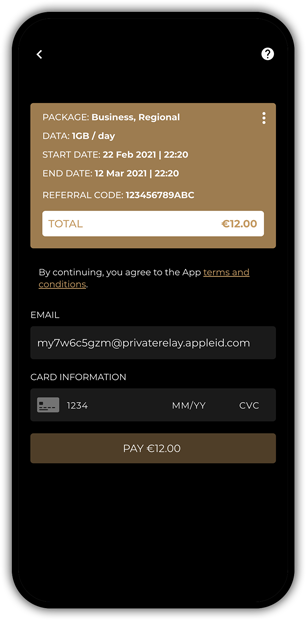
Payment
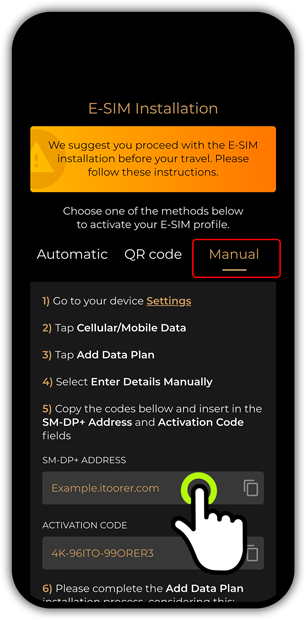
E-SIM Installation Method Selection

Follow the instructions according to the selected method. The client will receive a confirmation e-mail with QR Code, Instructions and Recommendations.
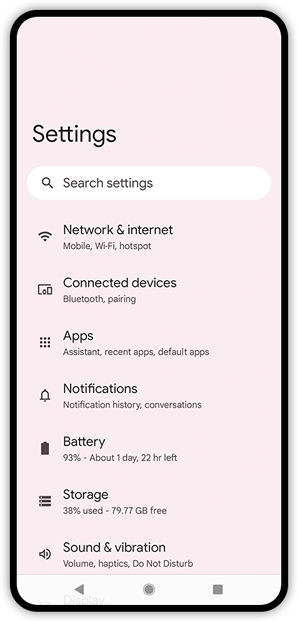
E-SIM Activation Manual Method
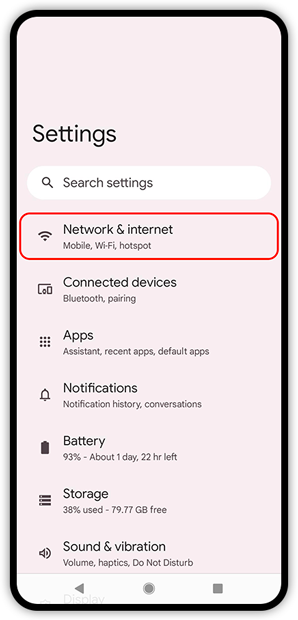
1) Go to your device Settings
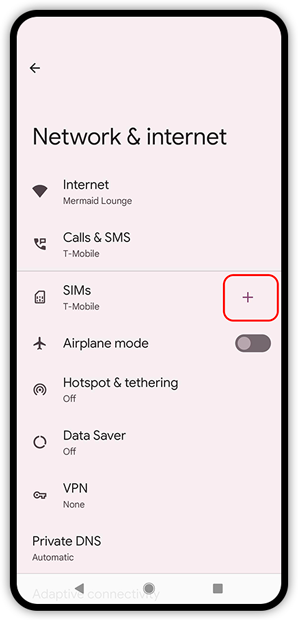
2) Tap Network & Internet
3) Tap the Plus sign + icon next to SIMs
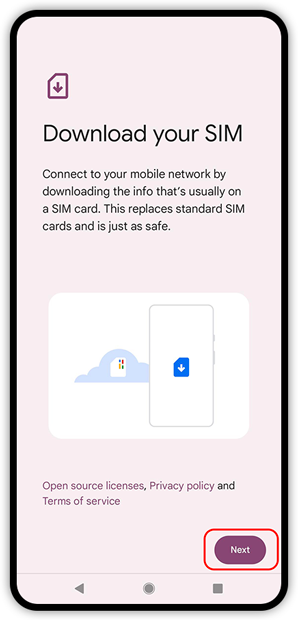
4) Tap Next
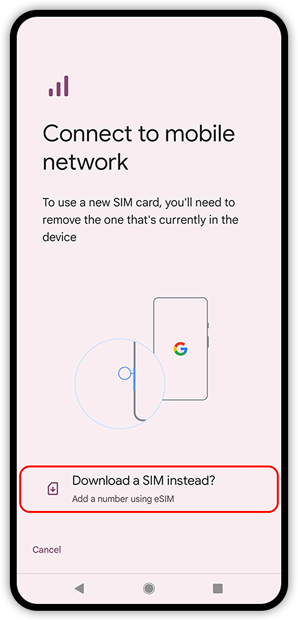
5) Tap Download a SIM instead?
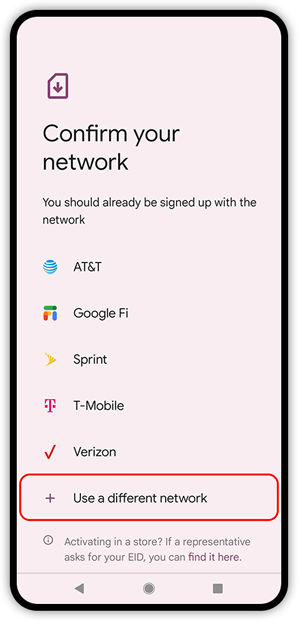
6) Tap Use a different network
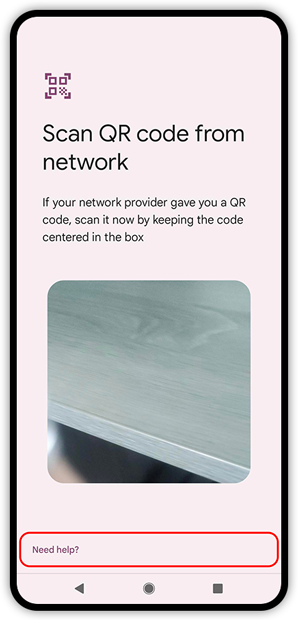
7) Tap Need help?
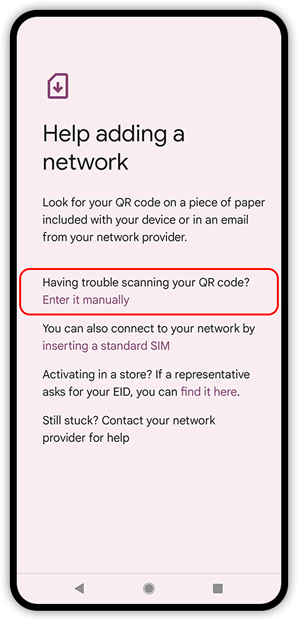
8) Select the option Enter it manually
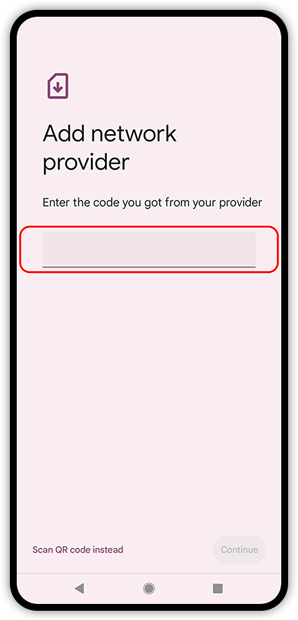
9) Copy the code bellow and insert it in the code field
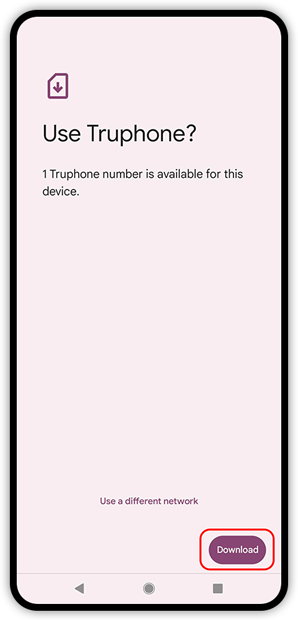
10) Tap Activate/Download
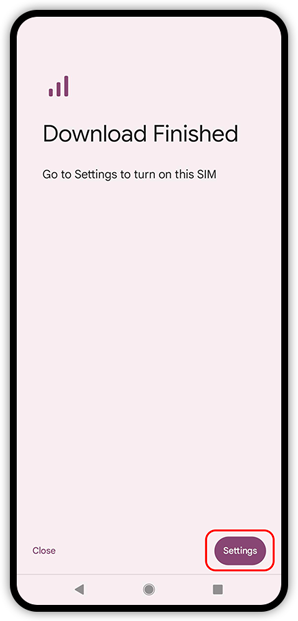
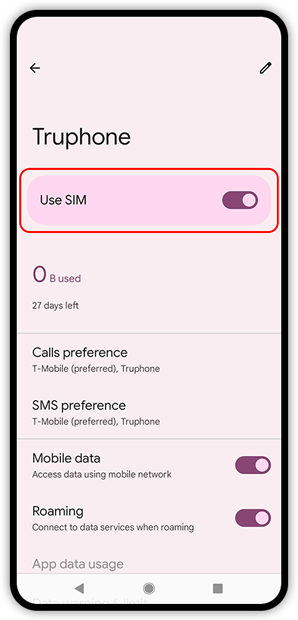
11) Tap Settings and turn E-SIM “ON”
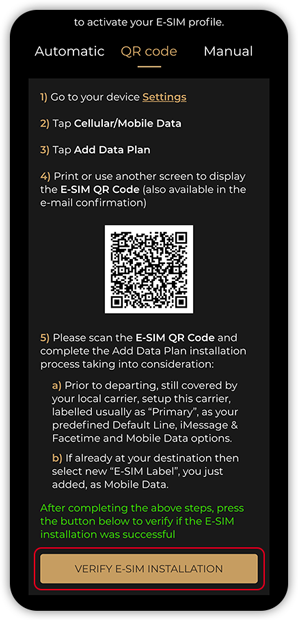
11) After completing the above steps, tap Verify E-SIM installation to verify if the E-SIM installation was successful
Add Data Plan Installation
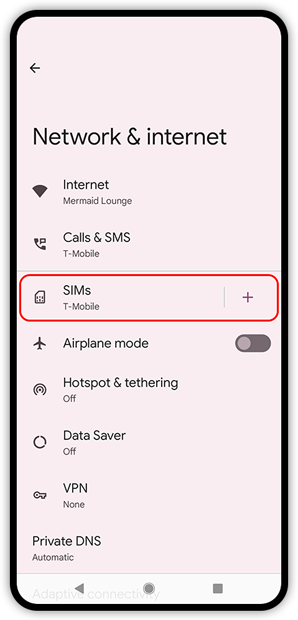
1) Go to your device Settings
2) Tap Network & Internet
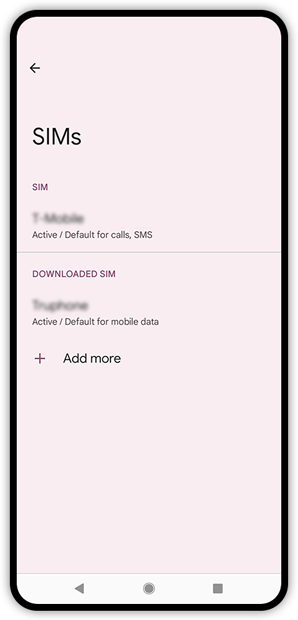
3) Tap SIMs
4) Select the installed E-SIM in the Downloaded SIM section
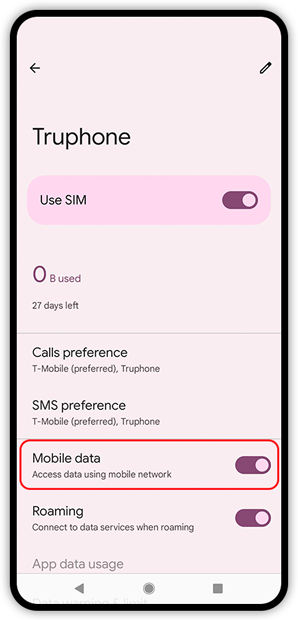
5) Turn Mobile Data “ON”
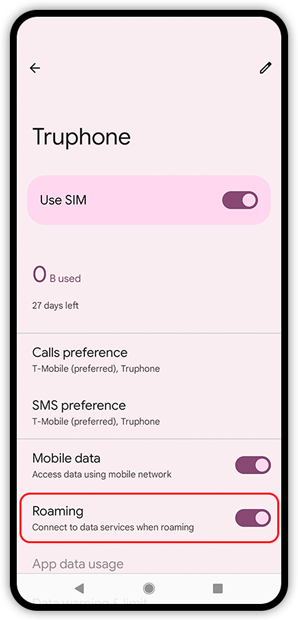
6) Turn Roaming “ON”
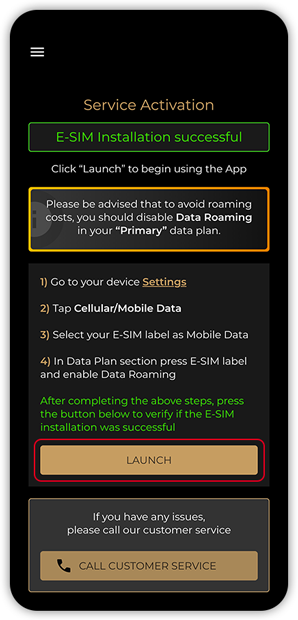
After completing the above steps, tap Launch to start using the app
Disable Roaming
Please be advised that to avoid roaming costs, you should disable Data Roaming in your Primary data plan.